Meeting Room Manager allows for Just-In-Time Provisioning. This method of provisioning utilizes the SAML assertion to create users on the fly instead of needing to generate accounts ahead of time.
For example, if you’re adding a new employee in Meeting Room Manager, their account doesn’t need to be manually generated for them. Instead, when they log in via single sign-on, their Meeting Room Manager account is automatically generated for them, nullifying any need for user on-boarding.
To enable this, do the following in your Resource Scheduler admin dashboard:
- Go to Options > Security Controls.
- Under User Security, select Allow users to add themselves.
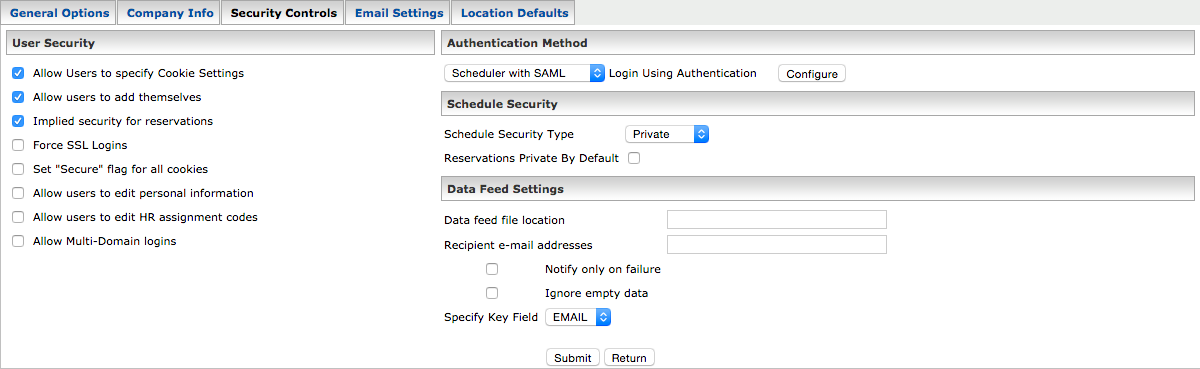
- Click Submit.