May was a busy month at OneLogin! In addition to this month's feature-rich release focused on secure authentication solutions, we deployed some behind-the-scenes improvements to optimize & improve performance & reliability, and resolved numerous bugs.
Coming Soon
OneLogin Help Center 2.0! OneLogin documentation is getting a facelift. OneLogin's Help Center will feature a clean & sleek design, intuitive information architecture, the capacity to provide feedback on every document, and the option to subscribe to category notifications.
Without further ado, here's what happened in May at OneLogin.
- Security & Authentication
- Cloud Directory & Ecosystem
- Manageability & Reliability
- Early Access Programs
Security & Authentication
Voluntary MFA Self-Enrollment
For admins managing large groups of users, we added the ability to extend the MFA self-enrollment window and allow users to skip enrollment. This enables you to slowly roll out MFA to users with an initial voluntary self-enrollment period before enforcing registration. The timetable is determined by the admin; simply switch from voluntary to enforced whenever you want to remove the “Skip” option for MFA self-enrollment when the end user logs in. This option is located in the MFA tab when updating or creating a User Policy.

For more information, see User Policies.
Custom Connector Login Script
As of May 2019 we will remove the option for admins to create custom connector login scripts. The scripts are visible in the Administration Console but administrators are no longer permitted to edit them. Going forward, custom login scripts will be authored and reviewed by the OneLogin team to ensure that the scripts adhere to OneLogin reliability, performance, and security standards.
To improve security and user experience, we recommend you use more advanced authentication methods such as SAML or OIDC. The OneLogin team can assist with selecting the right method and/or connector that meets your needs. To modify existing connectors with custom scripts, contact OneLogin support - they will edit the scripts for you.
OneLogin Protect Backup & Restore (4.1)
In the latest version of Protect, we added the ability to backup and restore Protect accounts across any device or operating system. When a user clicks Backup from the hamburger menu and creates a master password, it generates a recovery kit with QR code and secret key that they must keep in a safe place. When a user loses their phone or gets a new one (even a different type), admins no longer have to manually revoke the device because the user can utilize the recovery kit to restore all their previous accounts. The two new options to backup and restore appear under Settings in the menu.
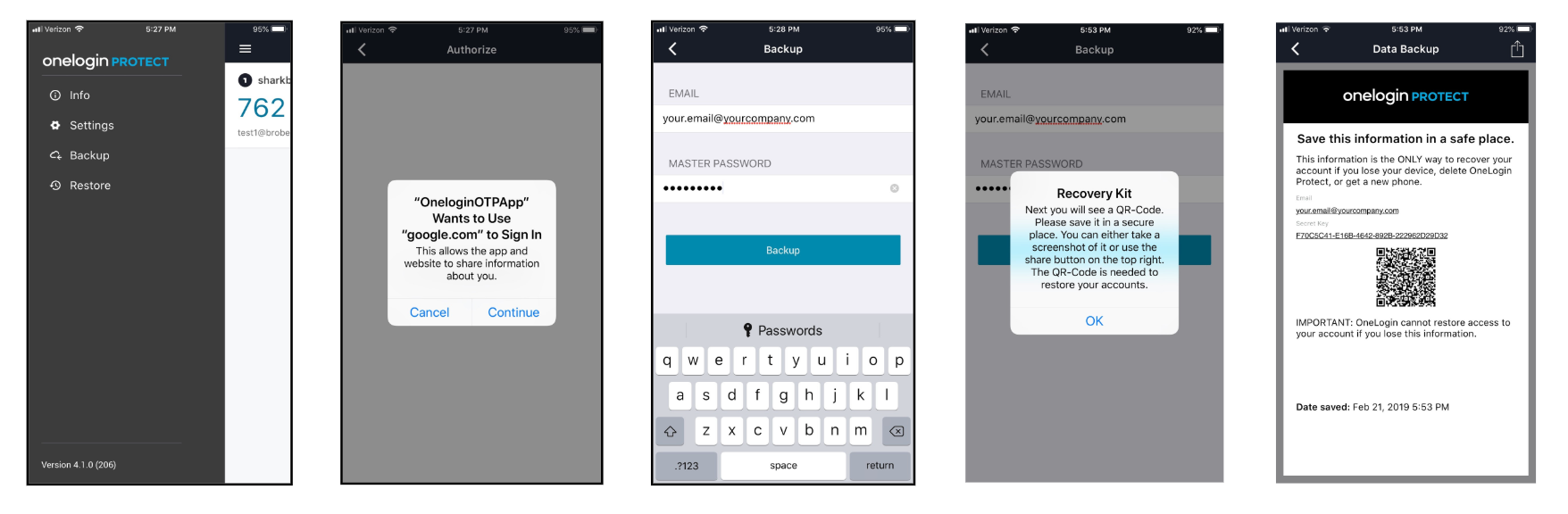
For more information, see OneLogin Protect for Android or OneLogin Protect for iOS.
Multi-MFA Instance
We added the ability to define multiple instances of an authentication factor per tenant. For example, a company in the education space might use Duo for students and Duo for teachers. This feature will be rolled out in phases. In May, Duo, Symantec VIP, RSA SecurID, and Yubikey are available. In June and beyond, OneLogin Protect, OneLogin Voice, OneLogin SMS, and security questions will be available.
For more information, see Add Multi-Factor Authentication.
Cloud Directory & Ecosystem
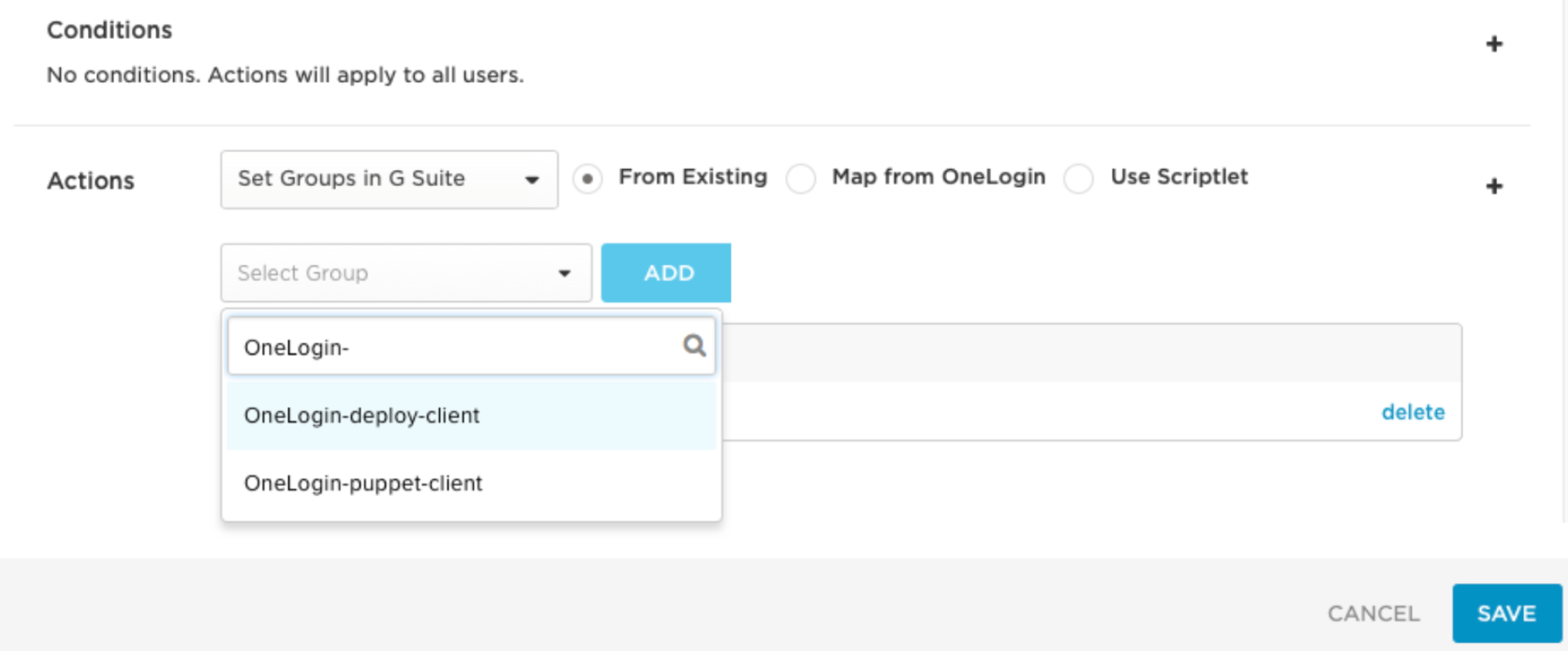
Create Custom Attributes in G Suite
You can now create custom attributes in the G Suite UI to provision additional user values when you create or update users in G Suite. These customer parameters differ from Provision Custom Attributes to G Suite in that they are initially created in the G Suite UI.
Once you create the parameter in G Suite, you also create one in OneLogin. When you create a custom parameter in OneLogin, it's important to structure the parameter's name in a specific way. The naming logic is informed by the way G Suite's API structures JSON objects in the response.
For more information, see Create Custom Attributes in G Suite .
New SCIM Connectors
We added the following SCIM connectors to the catalog:
-
Figma
-
OAuth Test Connector
Search Apps > Add Apps to locate the new connectors.
For more information about User Provisioning, see User Provisioning.
Bugs
Fixed an issue where it was possible to provision a user to an application using a unique identifier that was already in use by another user for a single application. We now verify that unique identifiers aren't in use for application provisioning. If the identifier is already in use, the user isn't provisioned and an error message is returned [username] matches another username in [the application] - please reset the user.
If you reset the user and the error persists, review your provisioning settings. If you don't use a unique attribute for the user's unique identifier, either change the parameter or update the effected user to proceed.
Manageability & Reliability
App Management Enhancement
As part of our efforts to enhance the experience for admins at scale, within the Edit App screen we updated the Rules, Parameters, and Users tabs with a searchable editing view with a table, rather than having a flat list. We also improved page loading time for admins with many groups.
Automatically Suspend Inactive Users
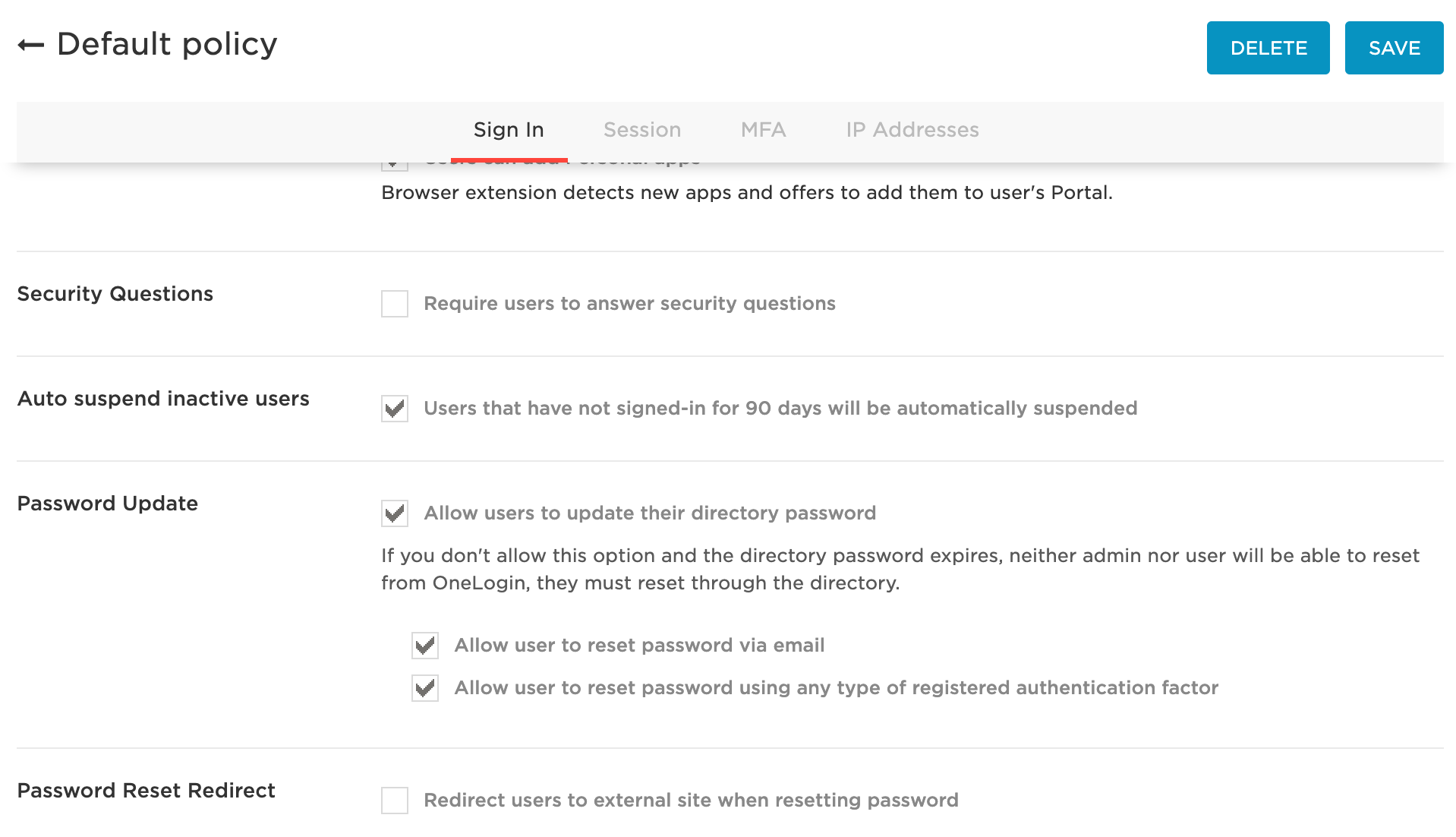
We added the ability to automatically suspend users who haven't used the system for 90 days, including users that received an invitation to join but never logged in.
This is activated via a user policy, under the Sign In tab. When a user is suspended, an event is logged that provides detailed notes.
Note: If an admin reactivates the user after suspension, they must log in within 24 hours or the user state returns to suspended.
For more information, see User Policies.
Early Access Programs
Early Access: Create & Edit Apps API
Admins can now save their app configuration states to restore the app settings to a previous state. It can be used to automate the replication of apps between environments or for multiple instances of a common app.
To join the Early Access program, fill out the intake form here: Apps API Early Access Program.
WebAuthn MFA
When you add WebAuthn as an authentication factor, you enable a choice of user-friendly authentication methods, including built-in platform biometrics like TouchID or facial recognition, or other authenticators like Yubikey, NFC, and Bluetooth. Support varies across browsers, since this cutting-edge technology was officially standardized in March 2019.
To join the Early Preview program, fill out the intake form here: WebAuthn Early Access Program.
Still open: OneLogin Voice MFA
OneLogin Voice is a new authentication factor that places an automated phone call to users who may not have a smartphone. The user then answers the call and enters the correct digits to authenticate. Organizations who want to add in MFA but have users without smartphones will benefit from this program.
To join the Early Access program, fill out the intake form here: Voice MFA Early Access Program.