This knowledge base article describes how to configure Clearwater Analytics to connect to OneLogin via SAML.
Before starting this process, open a ticket with Clearwater customer service and tell them that you want to connect to OneLogin via SAML. You should also ensure that the NameID variable you send as a macro from OneLogin is aligned with the expected variable at Clearwater.
- Log into your OneLogin environment, navigate to Administration > Applications > Applications, click the Add App button, and search for SAML Test Connector (Advanced).
- Select the app and name it Clearwater, then click Save.
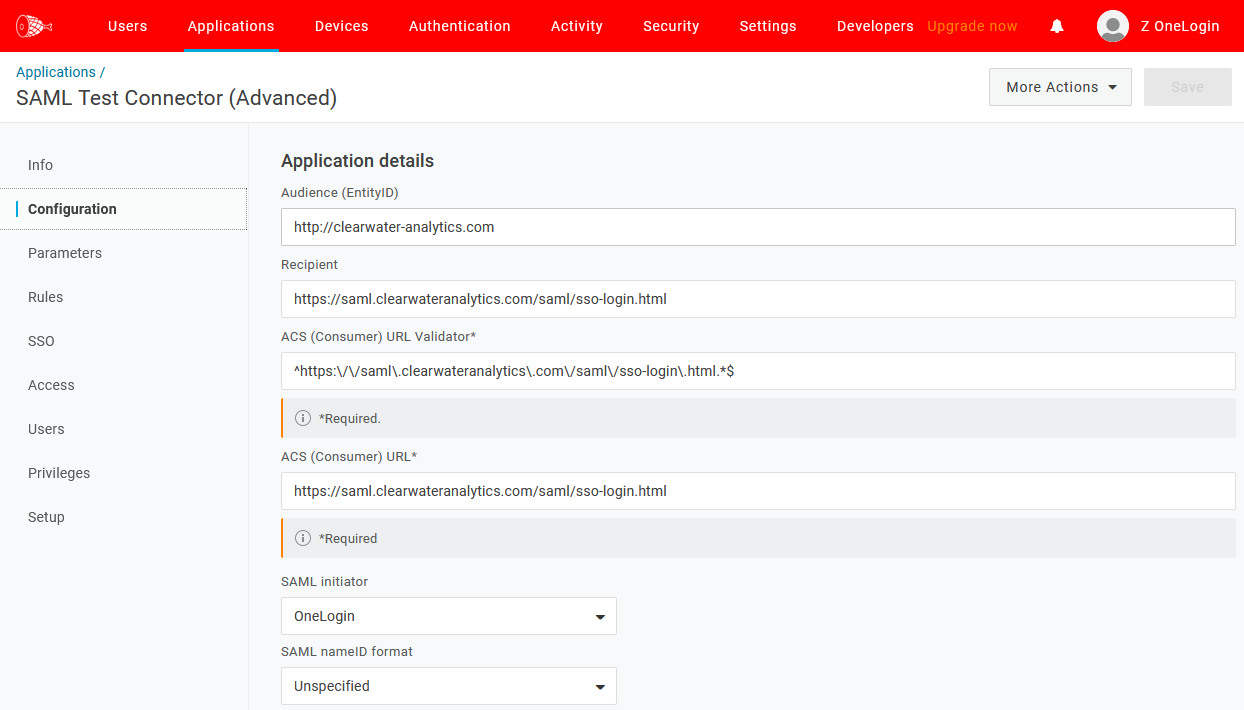
- Configure your app by adding an image if you'd like, then click Configuration and input the following variables:
| Audience (Entity ID) | http://clearwater-analytics.com |
| Recipient | https://saml.clearwateranalytics.com/saml/sso-login.html |
| ACS (Consumer) URL Validator | ^https:\/\/saml\.clearwateranalytics\.com\/saml\/sso-login\.html.*$ |
| ACS (Consumer) URL | https://saml.clearwateranalytics.com/saml/sso-login.html |
In addition, confirm the following settings:
- SAML initiator: OneLogin
- SAML NameID format: Unspecified
- Display name: Clearwater Analytics
- Visible in Portal: Yes/enabled
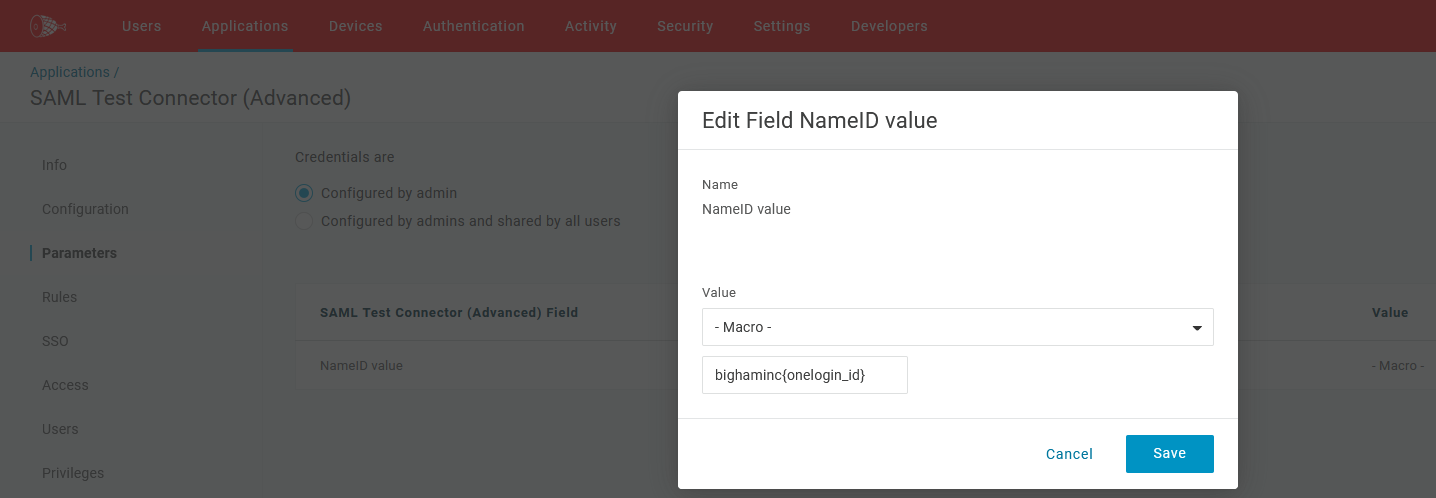
- Go to Parameters and ensure that the NameID format is the same as the format you confirmed with the Clearwater support team earlier. In the example below, the macro is
bighaminc{oneloginid}.
- Click the Access tab and select which OneLogin role you want to grant to your users, then click Save.
- Navigate to the SSO tab and copy the Issuer ID, then paste it somewhere safe for later retrieval.
- Click More Actions, then download the metadata file.
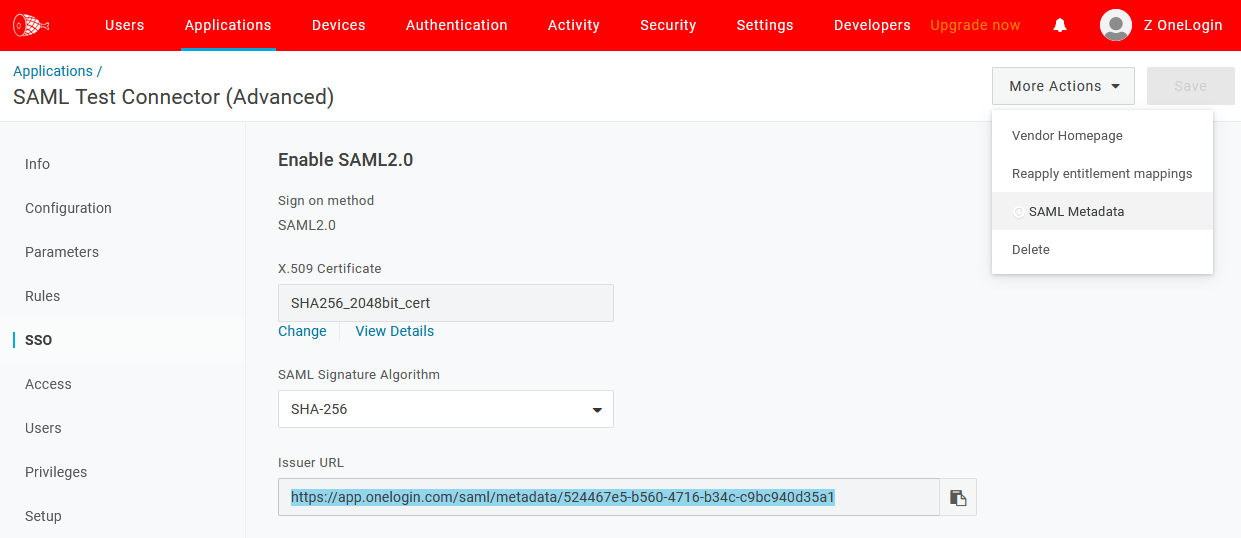
Once you've downloaded the metadata file, attach it to the ticket you opened with Clearwater and they will use it to make the connection to OneLogin. Your customer service representative will inform you when you can test the connection.
Test your SAML connection
- Confirm that your test account is included in the Access roles, has an account in Clearwater, and is not an administrator in Clearwater
- Click the Clearwater Analytics icon. If you're properly signed in, your setup is complete.