This article is an add-on to our SAML configuration guide, supplementing the process described there with specific details and additional information unique to configuring SAML for the Adobe Sign SAML 2.0 app connector in OneLogin's app catalog.
Prerequisites
- Administrative access to enable SAML in Adobe Sign; you should follow the Adobe Sign SAML process described there in conjunction with your OneLogin setup, as you will be exchanging some details between your accounts during the configuration
- If you intend to configure both SAML and provisioning for Adobe Sign, you must enable provisioning first before completing your SAML configuration.
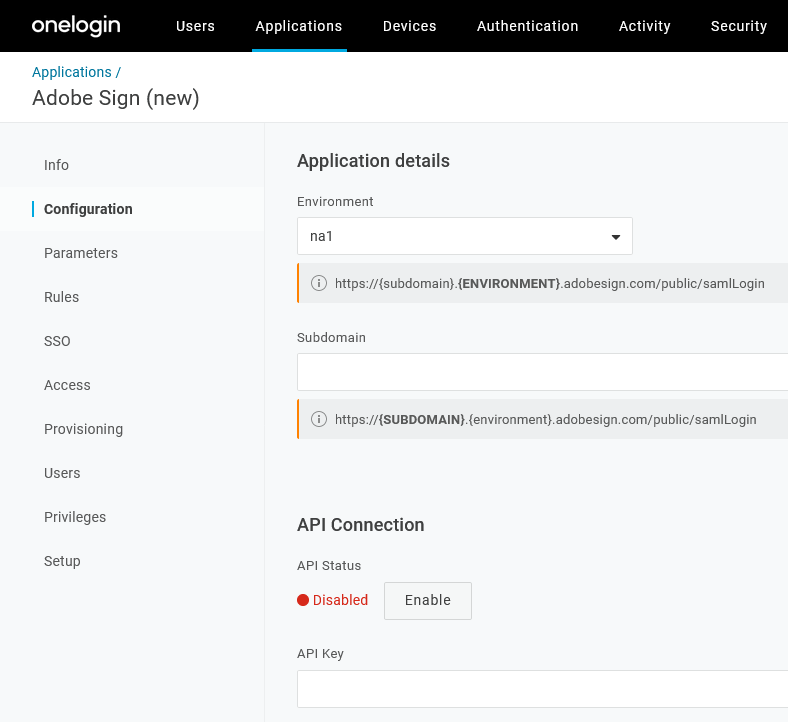
Configuration
|
Environment |
|
To access:
|
|---|---|---|
|
Subdomain |
|
|
|
API Key |
Disregard this section unless configuring user provisioning for this app. |
SSO
Copy your OneLogin SSO values to their corresponding fields in Adobe Sign and click Save in Adobe Sign:
|
OneLogin |
Adobe Sign |
|---|---|
|
Issuer URL |
Entity ID/Issuer URL field. |
|
SAML 2.0 Endpoint (HTTP) |
IdP Login URL field. |
|
SLO Endpoint (HTTP) |
Logout URL/SLO Endpoint field. |
|
X.509 Certificate |
IdP Certificate field. Note: Be sure to remove any returns that may have been copied. The cursor should be at the end of the last line. |