|
Open ID Connect (OIDC) is a simple identity layer built on top of the OAuth 2.0 protocol. It specifies a RESTful API, using JSON as a data format, and works with an authorization server of identity provider (IdP) to allow clients to both verify an end user's identity and obtain basic profile information from their account with the provider. For example, when an app prompts you to authenticate using your Facebook or Google credentials, the app is probably using OIDC.
OneLogin has many OIDC applications already in the app catalog. For all others, this article describes the process of configuring OneLogin's custom ODIC connector to allow any OIDC-enabled app to use OneLogin as its authentication source.
Prerequisites
To use this connector, you need an OIDC-enabled app that uses the Implicit or Authentication (Basic) flow.
Tip: If you're connecting a custom or internal app for your organization, OneLogin offers a developer guide to help your team build your own OIDC-enabled applications. We also have several guides particular to popular third-party OIDC apps:
Begin by adding the application OpenId Connect (OIDC). Be sure to give it a name that reflects the application you'll be connecting it to, so users can easily recognize it in their OneLogin portal.

Configuration
|
Login Url
|
If you want your users to be able to launch the app from their OneLogin portal, enter the URL they would access to sign in to the app.
Traditionally, OIDC enables single sign-on (SSO) initiated by the service provider (SP), but not by the IdP; however, by using the Login URL, OneLogin mimics an IdP-initiated SSO experience and directs the user to the app's login page, where the SP-initiated authorization flow begins.
|
|
Redirect URIs
|
Enter one or more Redirect URIs that your app uses as a callback endpoint, separated by commas or by line-breaks.
URIs in this field are where OneLogin sends the authentication response and ID token, and are the only redirects allowed after the user authenticates.
|
|
Post Logout Redirect URIs
|
If you want to establish redirects for after the user is logged out by OIDC, enter one or more post-logout redirect URIs to allow, separated by commas or by line-breaks.
|
Establish your resource indicators:

Note: HTTPS is required for all URIs in OneLogin. http://localhost is permitted for development purposes only and should not be used in production.
SSO
|
Client ID
|
This is a public key issued by OneLogin. It must be recorded by your app and passed with each request for an access token.
|
|
Client Secret
|
This is a private key used by the client to exchange an authorization code for a JSON Web Token (JWT); click Show client secret to reveal its value. For security purposes, don't hard code this in your applications. If a secret is compromised, you can click Regenerate client secret to generate a new value.
|
|
Issuer URL
|
If your app supports self-discovery using provider metadata endpoints, this is where it locates details about OneLogin's OIDC implementation for this connector, including supported claims, grant types, and JSON Web Key (JWK) signing and encryption information. Click Well-known Configuration to view your config data.
Some apps may require the URL for this page itself; it typically takes the form of https://your-domain.onelogin.com/oidc/2/.well-known/openid-configuration.
|
Copy the Client ID, Client Secret, and Issuer URL for use with your OIDC-enabled app:

|
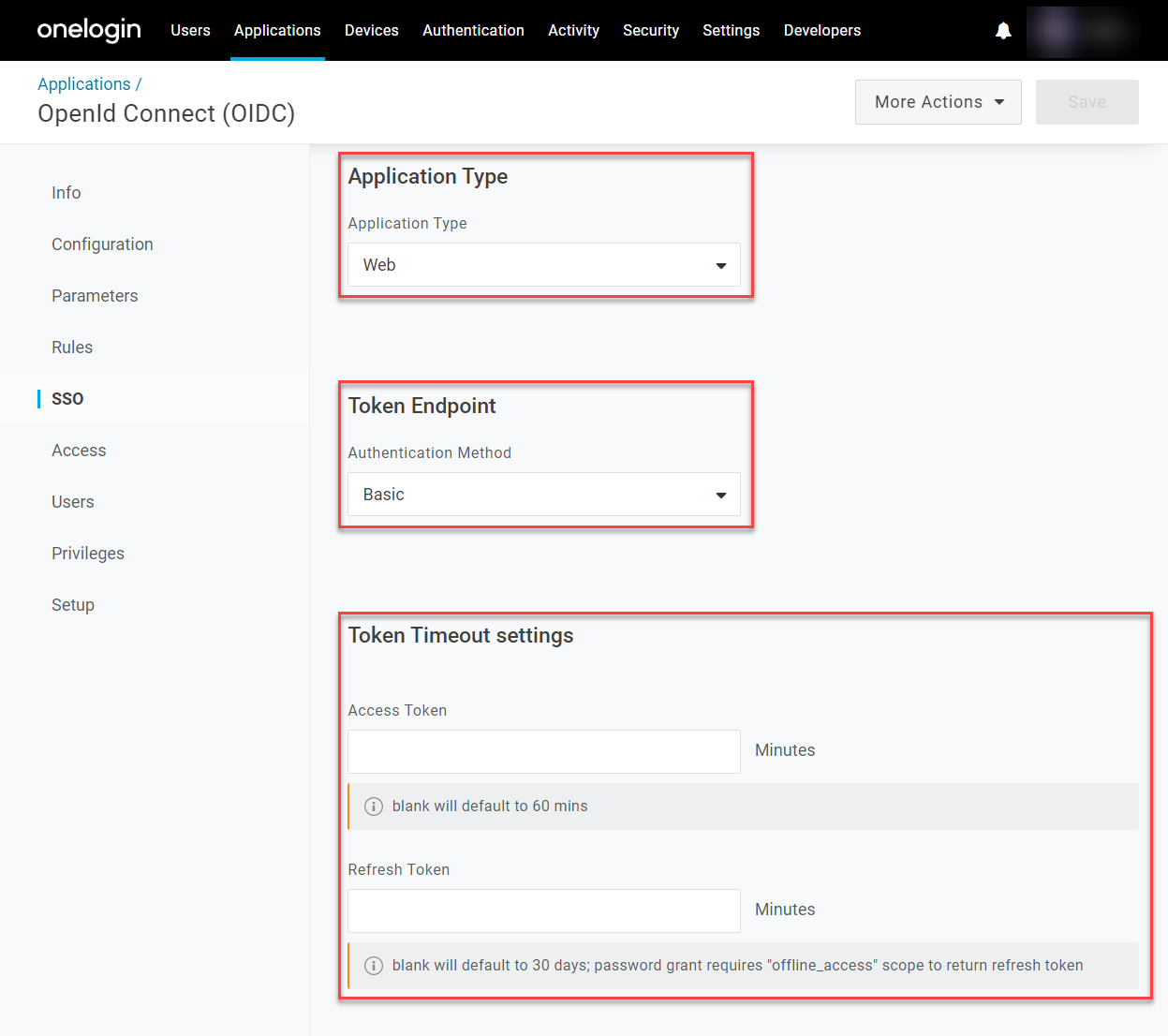
Application Type
|
Select whether your app is a browser-based Web application with an address resembling https://your-app.com, or a Native application based on a device, such as a phone app with the address com.android.your-app. This is important for avoiding conflicts with other domains while still giving your configuration the ability to operate and communicate with other apps and services.
|
|
Token Endpoint
|
Select your token's endpoint type depending on the protocol your app employs to fetch an access token. For Dotnet or Node.js/Passport apps, POST is the most common.
|
|
Token Timeout Settings
|
Enter the time in minutes, or leave blank to accept the default values. For the client credential grant, the default duration is 10 minutes; for all other flows, it is 60 minutes.
|
Configure your app type and token details for use with the app:
Save the app settings, then configure your remaining app preferences before assigning it to your users. |